
Install WinBasketBuddy
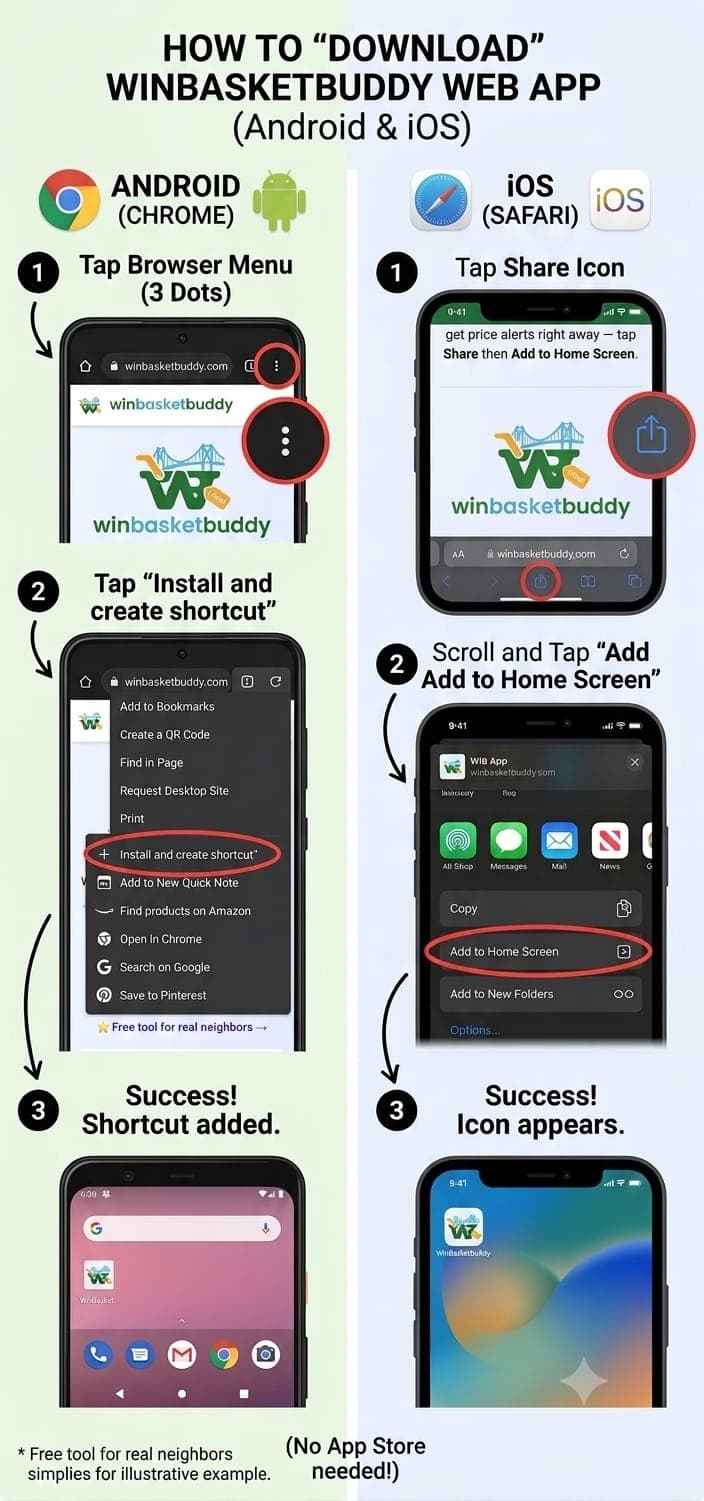
No App Store needed. Add WinBasketBuddy to your home screen and it opens full-screen, just like a regular app - a few taps, free, works on Android or iPhone.
Prefer the real native app instead?
Android
The real app - notifications, barcode scanner, and all.
Prefer not to install anything from the Play Store?
Or add it manually:
- 1
Tap the menu (⋮) in the top-right corner of Chrome.
- 2
Tap "Install app" or "Add to Home screen."
- 3
Confirm - the WinBasketBuddy icon appears on your home screen.
iPhone
The real app - notifications, barcode scanner, and all.
Prefer not to install anything?
- 1
Tap the Share icon (a square with an arrow pointing up) in Safari's toolbar.
- 2
Scroll down and tap "Add to Home Screen."
- 3
Tap "Add" - the WinBasketBuddy icon appears on your home screen.
This adds the website to your home screen without the App Store - works, but skips native notifications and the camera-based barcode scanner.